Make a report written by several people sound like one.

For evaluation consultants. Every edit comes back as a Word tracked change, with a comment wherever the meaning might shift.

Get early accessSee a before and after example

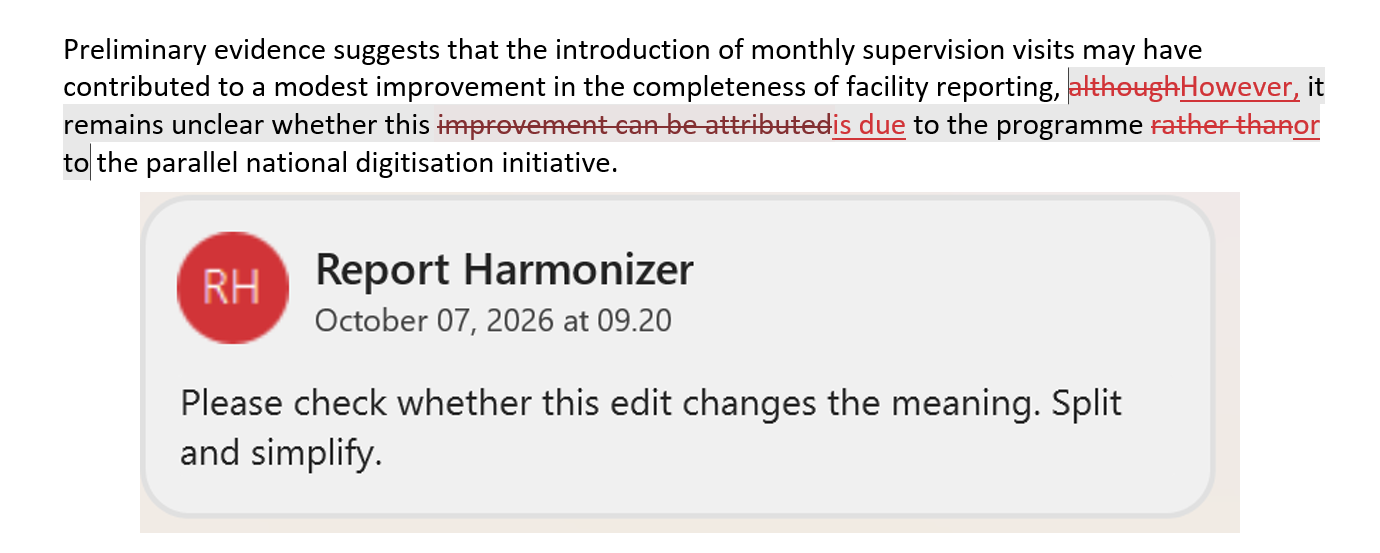
A report paragraph in Word with tracked changes: deleted words struck through in red, replacements underlined, and a Report Harmonizer comment beside it reading 'Please check whether this edit changes the meaning. Split and simplify.'

The problem

"Tone is always differing when multiple people write, also the style they write in."

"Length is always an issue, as many people are not good at writing succinctly."

"For me to fix it after it has been to the people writing pieces, it can take 3 to 5 days."

An evaluation consultant who edits team reports

How it works

  1. Set your style rules.

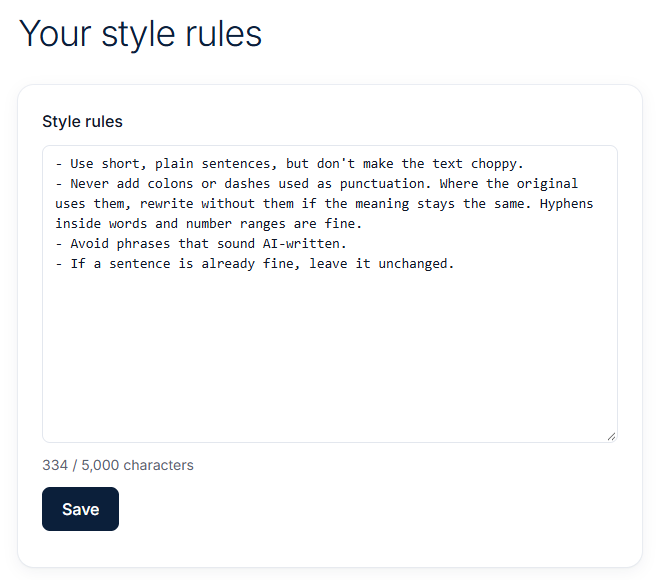
    Write down how your reports should sound, or start from the default rules.

    The Style rules page: a text box of rules such as 'Use short, plain sentences, but don't make the text choppy' and 'If a sentence is already fine, leave it unchanged', with a Save button.
  2. Upload your report.

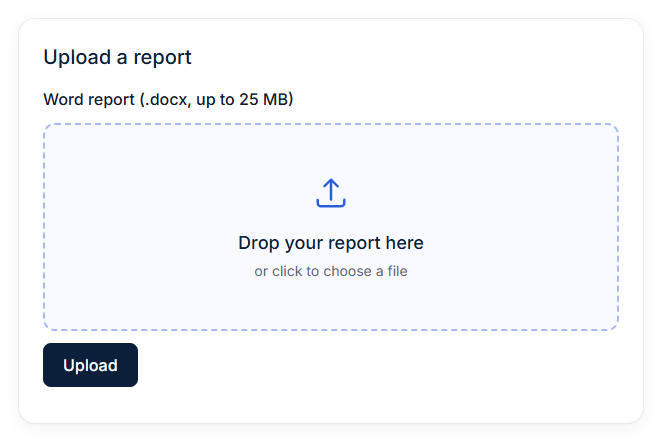
    Drop in the Word file written by your team.

    The Upload a report box: a dashed drop zone saying 'Drop your report here, or click to choose a file', for Word reports (.docx) up to 25 MB, with an Upload button.
  3. Review the changes in Word.

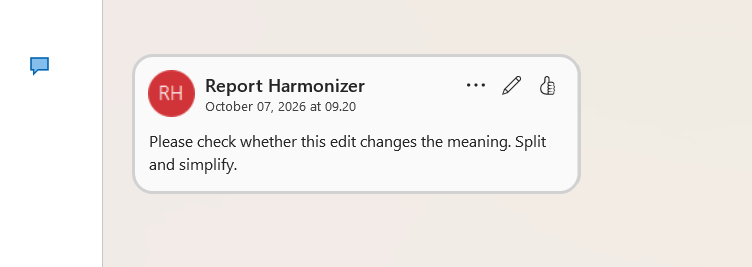
    You get the same file back with every edit as a tracked change, and a comment wherever the meaning might shift. Accept or reject each one.

    A Word comment from Report Harmonizer: 'Please check whether this edit changes the meaning. Split and simplify.'

Pricing

Report Harmonizer

15 euros per month

  • Turn multi-author Word reports into one voice
  • Every change returned as a Word tracked change
  • Comments where an edit might change the meaning
  • Cancel any time
  • Full refund within 14 days of a charge

Sign-up is by invitation for now. Join the email list to get access when it opens.

Get early access

Questions

Will it change what my report says?

It tries not to. Every edit is a tracked change you can accept or reject, and edits that might change the meaning, like a changed number or a removed "may", get a comment so you check them first.

Which files can I upload?

Word files (.docx), up to 25 MB.

Can I use my own style rules?

Yes. Write them in your own words on the Style rules page, or start from the default rules.

Where is my report stored, and who sees it?

On my server in New York, USA. The text is sent to Anthropic's Claude API to make the edits. Files are kept until you ask me to delete them. Details are on the privacy page.

How do I cancel?

Click Manage subscription on the billing page. You keep access until the end of the month you paid for.

Want to try it on your next report?

Sign-up is by invitation for now. Join the email list and I'll let you know when it opens.